
Highlight Nodes
Why Highlight Selected Types?
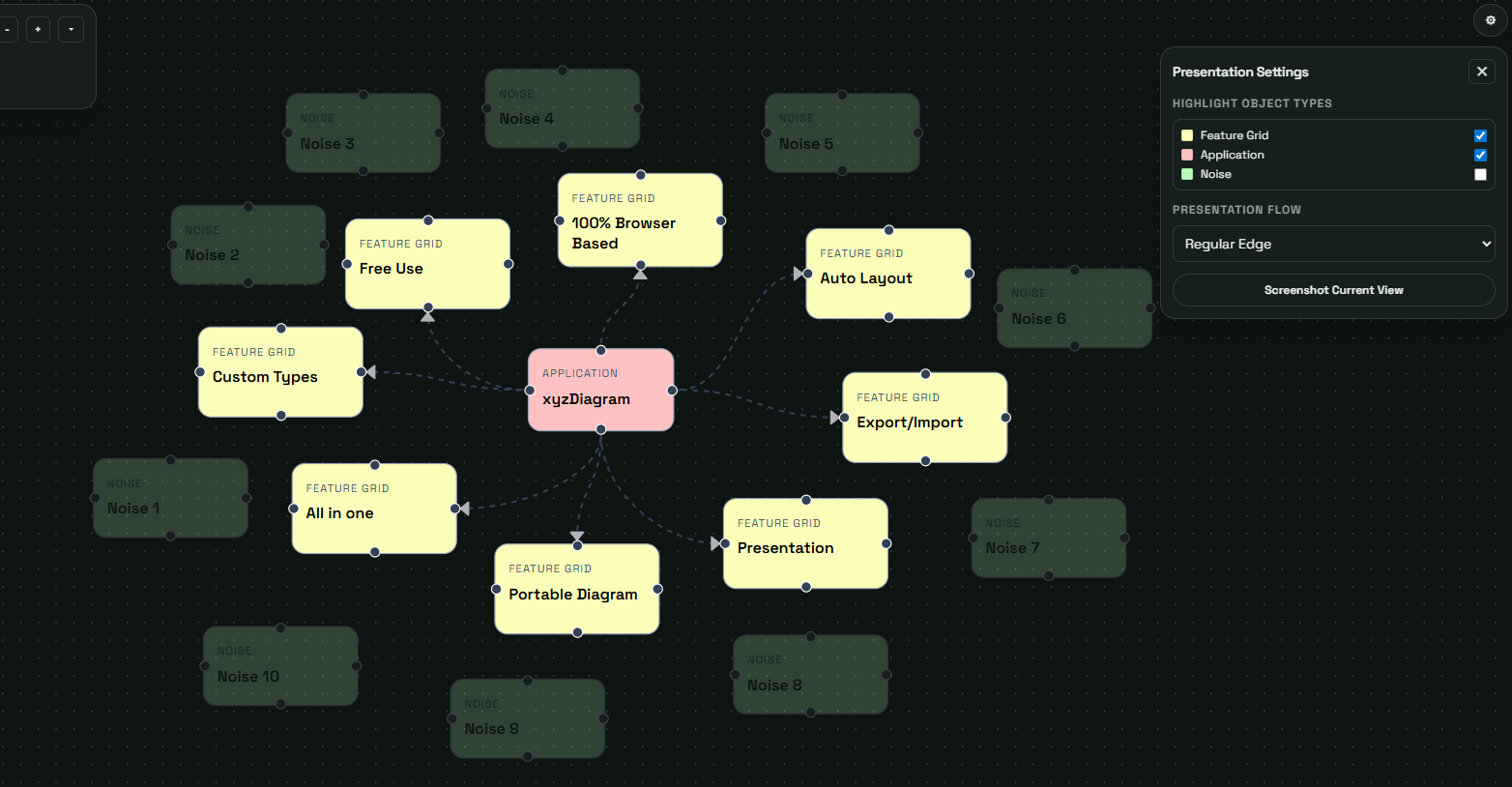
Not every audience needs every node. Highlighting specific node types in Presentation Mode removes clutter and keeps discussions focused on one perspective.
Highlight Workflow
Open Presentation Mode settings, disable irrelevant types, and walk only the visible subset. This is especially effective for security, data lineage, and ownership reviews.
The remaining visible node types become visually emphasized.
Example Use Cases for Highlighting
| Scenario | Highlighted Types | Outcome |
|---|---|---|
| Security review | Security controls, risks | Focused risk dialog |
| Data flow review | Data objects, stores | Clear lineage story |
| API review | Services, APIs | Faster technical alignment |